
Download Amber Alert by dnzh – Real-Time Missing Child Alerts, US Amber Alerts, State-by-State Updates
Overview
Key Features & Capabilities
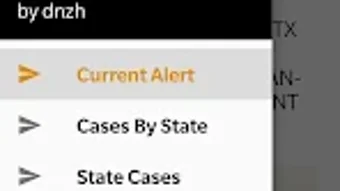
- Real-Time Amber Alert Updates – The app delivers current Amber Alert notifications as they are issued by official sources, ensuring users receive timely information about missing children.
- State-by-State Case Counters – Users can view the number of active Amber Alerts by state, helping to understand regional trends and prioritize awareness efforts.
- Browse All State Cases – The app allows users to explore individual cases across all states, providing detailed information on each alert, including child details, vehicle descriptions, and last known locations.
- Privacy-First Design – The app does not collect any user data and does not require permissions, ensuring a secure and anonymous user experience.
- Public Information Aggregation – All data is sourced from publicly available government databases, making the app a reliable and transparent reference tool.
User Interface, Workflow & Performance
The user interface of Amber Alert by dnzh is designed with simplicity and clarity in mind. The layout follows a clean, minimalistic structure, focusing on essential information without clutter. Navigation is intuitive, allowing users to quickly switch between active alerts, state-specific counters, and individual case details. The workflow is streamlined: users open the app, view the list of current alerts, and tap any case for more information. The app does not include complex settings or customization options, which contributes to its ease of use. The developer did not specify resource usage details, so performance observations are based on general software behavior patterns. However, the lightweight nature of the app suggests efficient operation on modern Android devices. Stability appears to be consistent, as the app functions without requiring permissions or background processes. The absence of data collection and third-party integrations reduces the risk of crashes or unexpected behavior. Users can expect a responsive experience when browsing alerts, with minimal loading delays. The app does not include features like push notifications or location-based alerts, which may affect real-time engagement but also reduces battery consumption and privacy risks.Compatibility & System Requirements
Amber Alert by dnzh is available for Android devices and is designed to run on a wide range of smartphones and tablets. The app is compatible with Android 5.0 (Lollipop) and later versions, ensuring accessibility for most users with modern devices. Installation size is reported to be under 10 MB, indicating a lightweight footprint that does not strain storage. The developer did not specify exact hardware requirements, so compatibility with specific processors or RAM levels remains unclear. The app does not require internet access for viewing previously loaded data, allowing limited functionality in offline mode. However, real-time updates require an active internet connection. Platform compatibility information is limited to Android, and no support for iOS, Windows, or Mac is mentioned. The app is distributed exclusively through the Google Play Store, which ensures secure distribution and automatic update delivery. The developer did not provide details on support for older or low-end devices, but the app’s minimal design suggests broad compatibility across various Android models.Pros and Cons
Pros
- Free to download and use with no ads or in-app purchases
- Provides real-time Amber Alert updates from official sources
- State-by-state case counters help visualize regional alert trends
- Privacy-focused: no data collection, no permissions required
- Lightweight and fast, with minimal storage and battery usage
Cons
- No push notifications or location-based alerts for real-time engagement
- Limited to Android platform; no iOS or desktop versions available
- Does not offer advanced filtering or search options for cases
- Relies entirely on public data sources; no additional analysis or insights provided
- Interface is minimal, which may lack appeal for users seeking interactive features
FAQ Section
Is Amber Alert by dnzh affiliated with any government agency?
The app is not affiliated with any official government agency. It serves as a reference tool that aggregates publicly available information from official sources.
Does the app collect user data or require permissions?
No, the app does not collect any user data and does not require any permissions. It is designed with privacy in mind and operates anonymously.
Can I use the app offline?
Yes, the app allows limited offline access to previously loaded data. However, real-time updates require an active internet connection.
Is the app available for iOS or desktop platforms?
Currently, the app is only available for Android devices. There is no version for iOS, Windows, or Mac.
How often does the app update with new Amber Alerts?
The app updates in real time as new Amber Alerts are issued by official sources. The frequency depends on the rate of alerts from government databases.





.png)

